
The free POS for every retail shop
Barcode scanning, GST billing, thermal printing, loyalty, returns and online orders — free and open source, on your own machine. No internet, no subscription, no data leaves your store.
Copy one command to install NodeDR POS
Package for Ubuntu 24.04 and Debian 12 or newer, amd64 and arm64, with systemd. It sets up Docker if needed, runs NodeDR POS in Docker and starts it. Read the script first, or download the .deb below and run sudo apt install ./file.deb.
Download .deb (amd64)Download .deb (arm64)Read the scriptv1.6.2 · release notes
12+
Core features
₹0
Forever free
AGPL-3.0
Open license
<10 min
Setup time
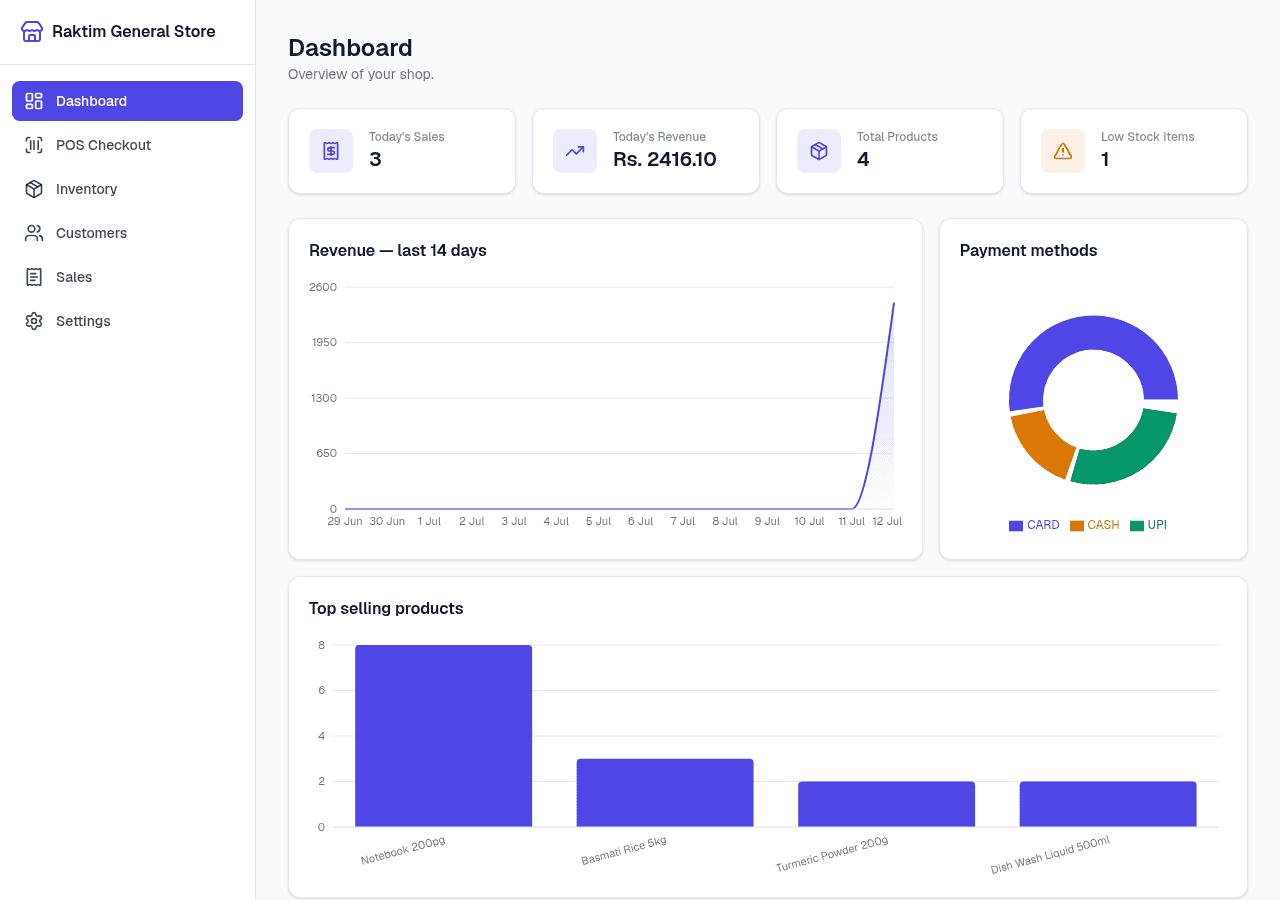
Dashboard — revenue, low stock, online orders waiting
- AGPL-3.0 LicenseFree to use, modify, self-host
- Offline-firstRuns fully offline; online features are optional
- SQLite + DockerOne compose file, your data stays local
- 20+ currenciesWorks in any country, any tax system
- ESC/POS printingUSB thermal printers, no driver setup
- Open sourceAGPL-3.0 — fork it, own it, ship it
Everything a retail shop needs
NodeDR POS ships all the core POS features in one Docker Compose stack — no plug-ins, no paid tiers, no feature gating.
Barcode-driven checkout
Scan to add items, scan again to bump quantity, press Enter to finalize. Unknown barcodes surface a clear toast — no register blocking. Works with any USB HID barcode scanner out of the box.
Camera barcode & QR scanning
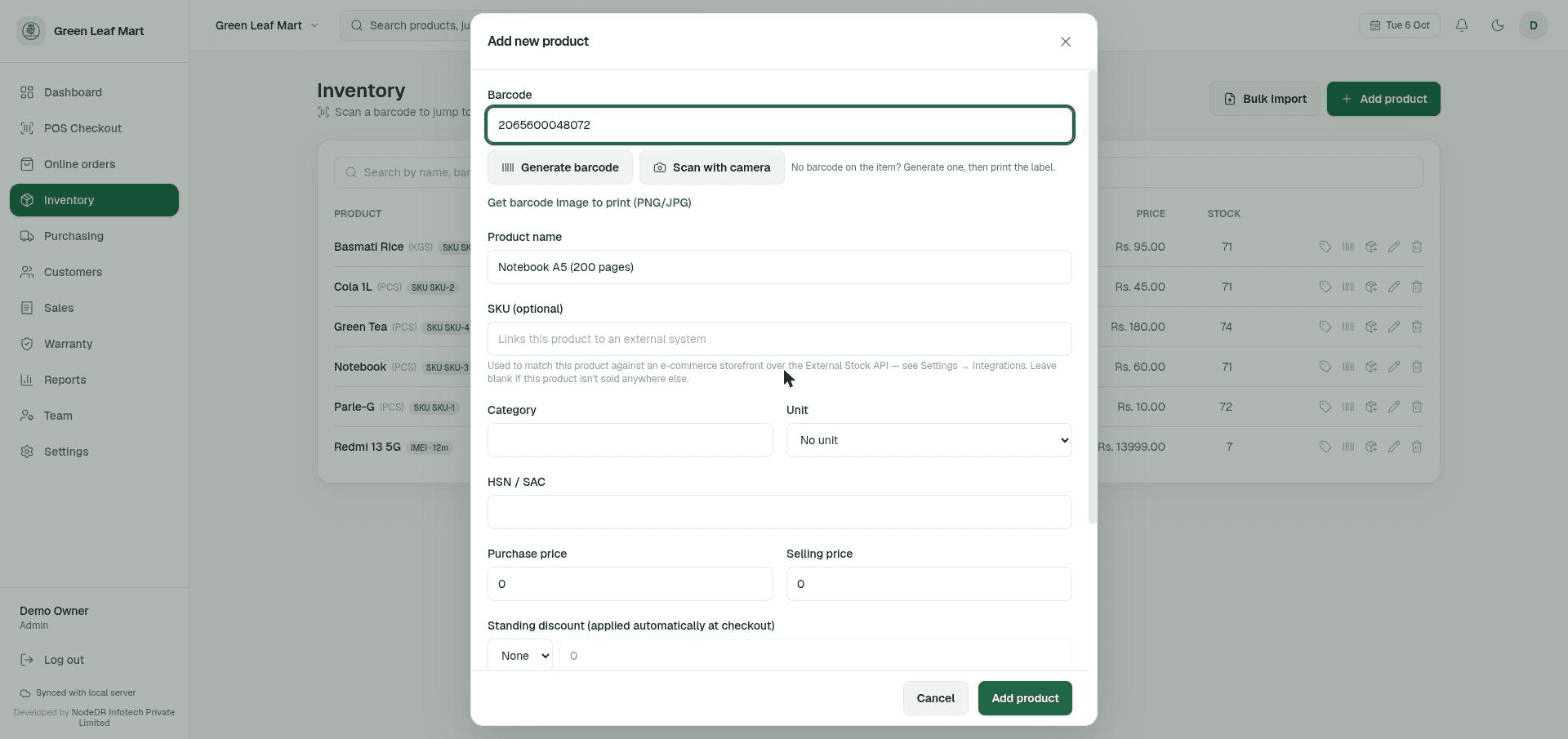
No USB scanner needed — scan with a phone or tablet camera at checkout or when adding a product. Requests a 1080p frame with continuous autofocus and feeds the exact same lookup/add-to-cart logic as a hardware scanner.
GST billing & compliance
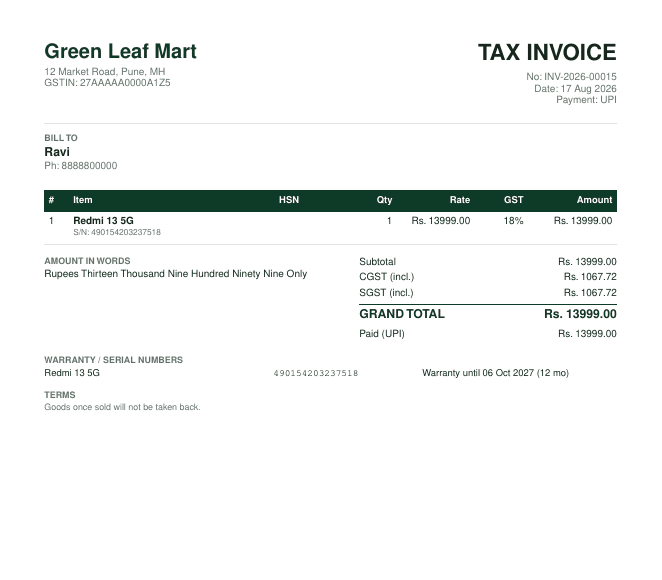
Per-product GST rates with HSN/SAC codes. MRP is treated as GST-inclusive as required by Indian law — CGST/SGST are broken out on every receipt. Live GSTIN and PAN format validation built in.
Cash, UPI & card payments
Multiple payment methods at checkout — cash (with change calculation), UPI, and card. Mixed payment is supported. Payment method mix is visible on the sales dashboard.
Thermal receipt printing
Three print paths: browser print dialog (any CUPS/OS printer), server-side PDF download, or direct ESC/POS over USB — receipt cuts off the roll without a dialog. Auto-print after every sale is one setting toggle.
Loyalty & customer dues
Customers earn points on every purchase, redeemable at checkout. Udhaar (credit) sales track dues against a customer with full payment history. Top customers ranked by point balance on the dashboard.
Offline barcode generator
No barcode on a product? Generate a valid EAN-13 using the GS1 internal-use prefix range, or print a QR label — all client-side, no network call. Works fully offline.
Returns & exchanges
Look up any past bill by invoice number from the register, queue lines to return, and settle as a refund or fold straight into a new exchange sale. Returned stock auto-restocks. A unit can never be returned twice.
Inventory management
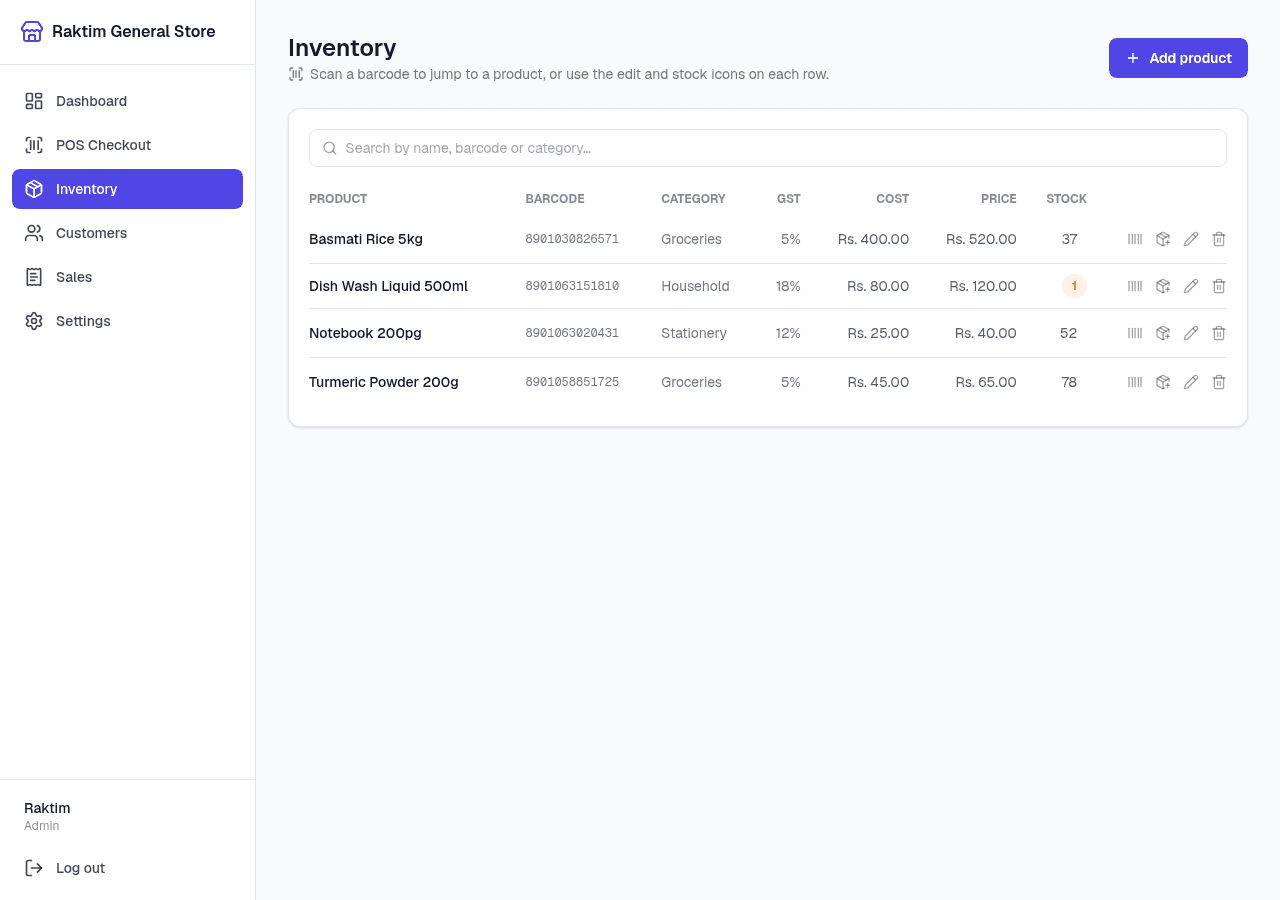
Scan to edit stock, auto-fill the new product form from online product databases on an unknown barcode, product photos, low-stock dashboard alerts, per-product discount %, and an optional 'allow negative stock' mode to keep the register open when counts lag reality.
Sales dashboard & CSV export
Revenue trend, best sellers, payment method mix, top loyalty customers, and today's totals. One-click CSV export of full sales history. Searchable invoice history with reprint from any past sale.
Staff accounts & roles
Admin and cashier roles. Cashiers run the register; admins manage staff, settings, inventory, and exports. Bcrypt-hashed passwords and HttpOnly JWT sessions.
Works on LAN tablets & phones
Access at http://machine:1994 from any device on the shop network — the nav collapses to a slide-out drawer on mobile. No per-device install needed.
One-click CasaOS / ZimaOS install
Already run a CasaOS or ZimaOS home server? Install straight from a compose URL — no terminal, no git clone. Pre-built images for amd64 and arm64, data persists in the standard CasaOS AppData location.
Live e-commerce stock sync
Connect your online store with a key-authenticated API, no extra service to run. Link a product by SKU and stock stays in sync both ways — a sale on your website decrements the shop's real count, and a sale at the counter reflects on the site within moments via a signed webhook.
Dark & light theme
Toggle between a premium dark theme and a light theme from the header. The choice is remembered per device and defaults to your system preference.
Private by design
No analytics, no telemetry, no cloud dependency. The only outbound requests are optional ones you trigger: update checks and the "Find online" product lookup (only the barcode or search text is sent). Your sales data never leaves the shop.
See it in action
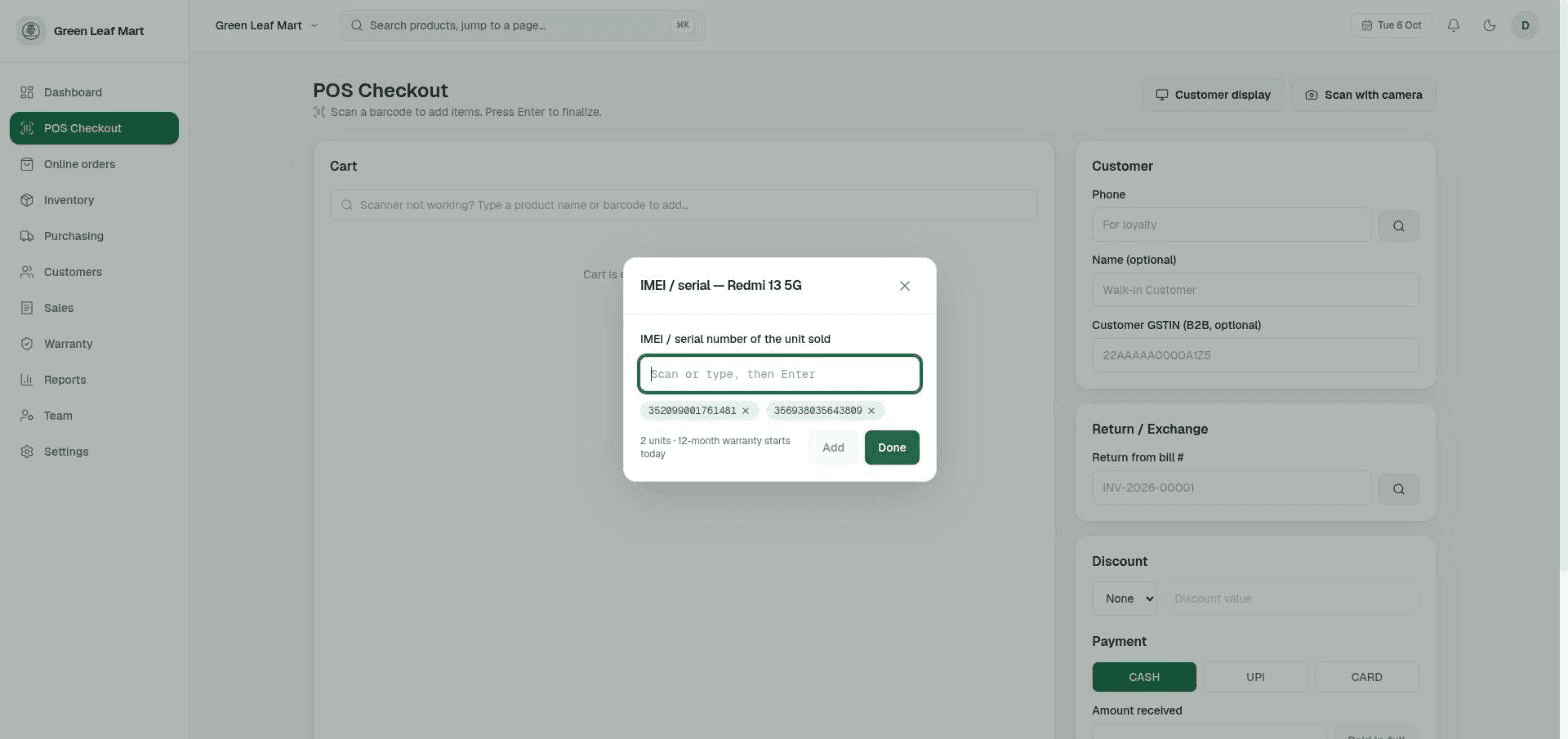
Real screenshots from a running NodeDR POS instance — dashboard, inventory, barcode tools, and settings.
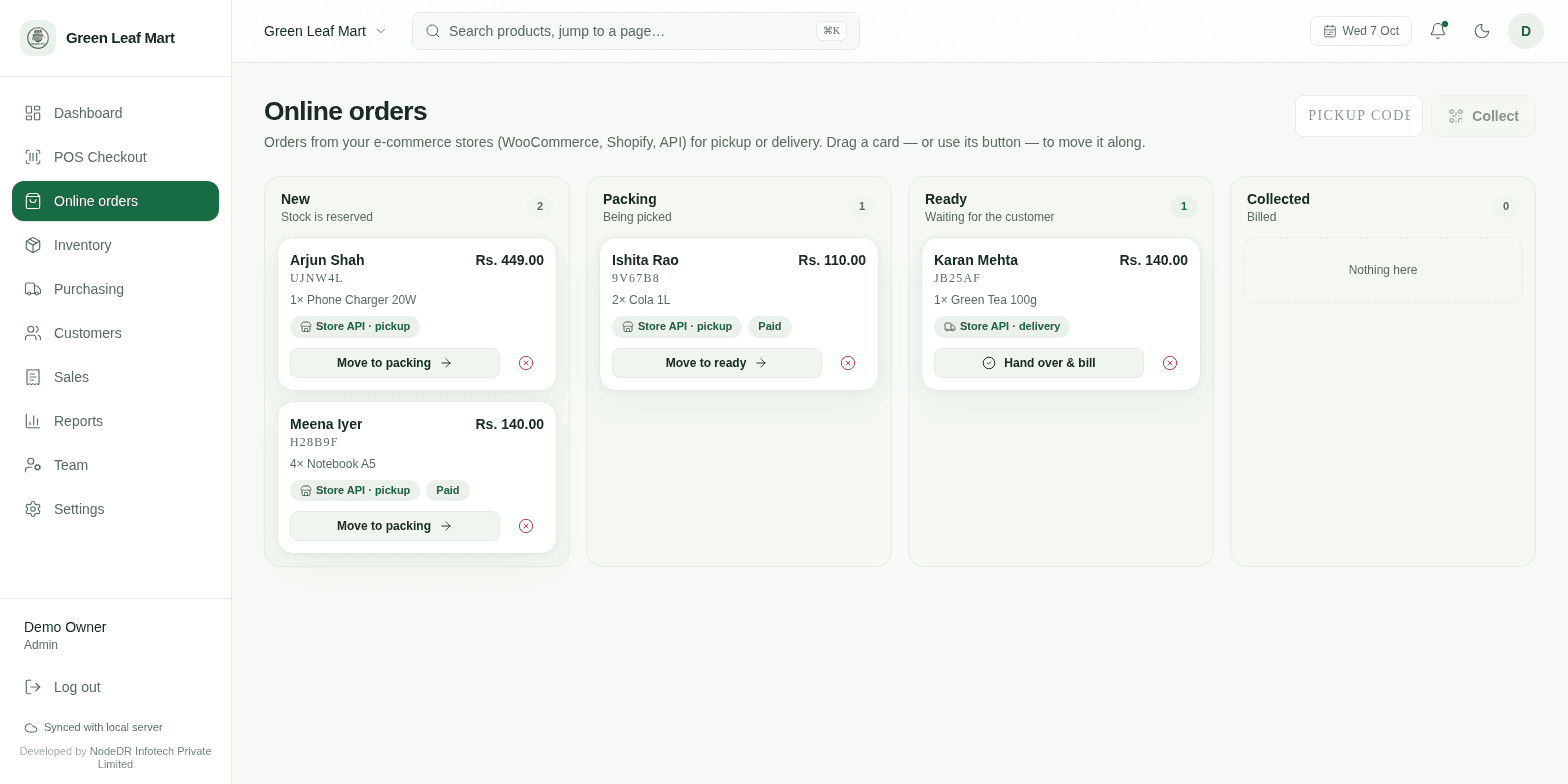
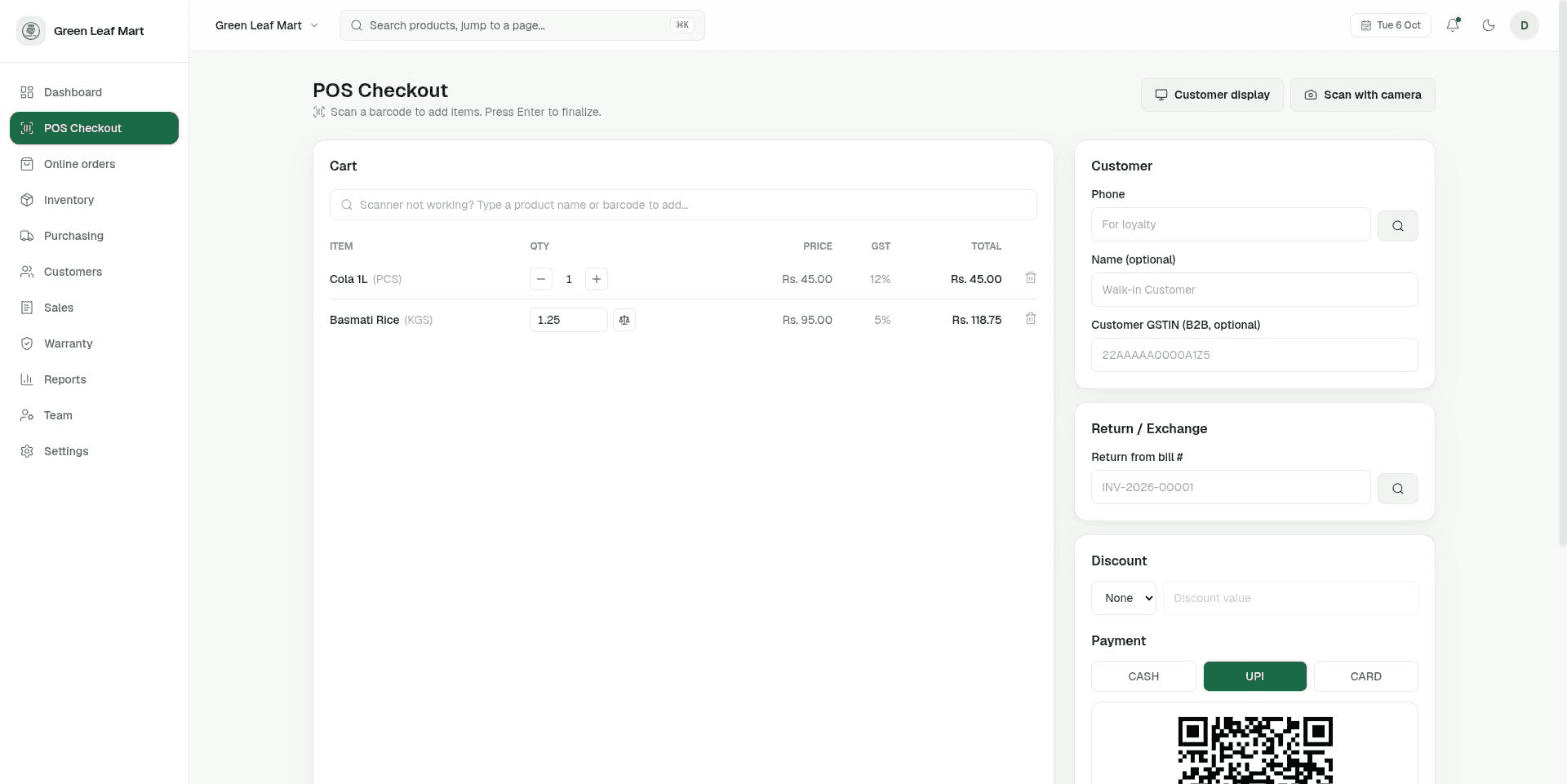
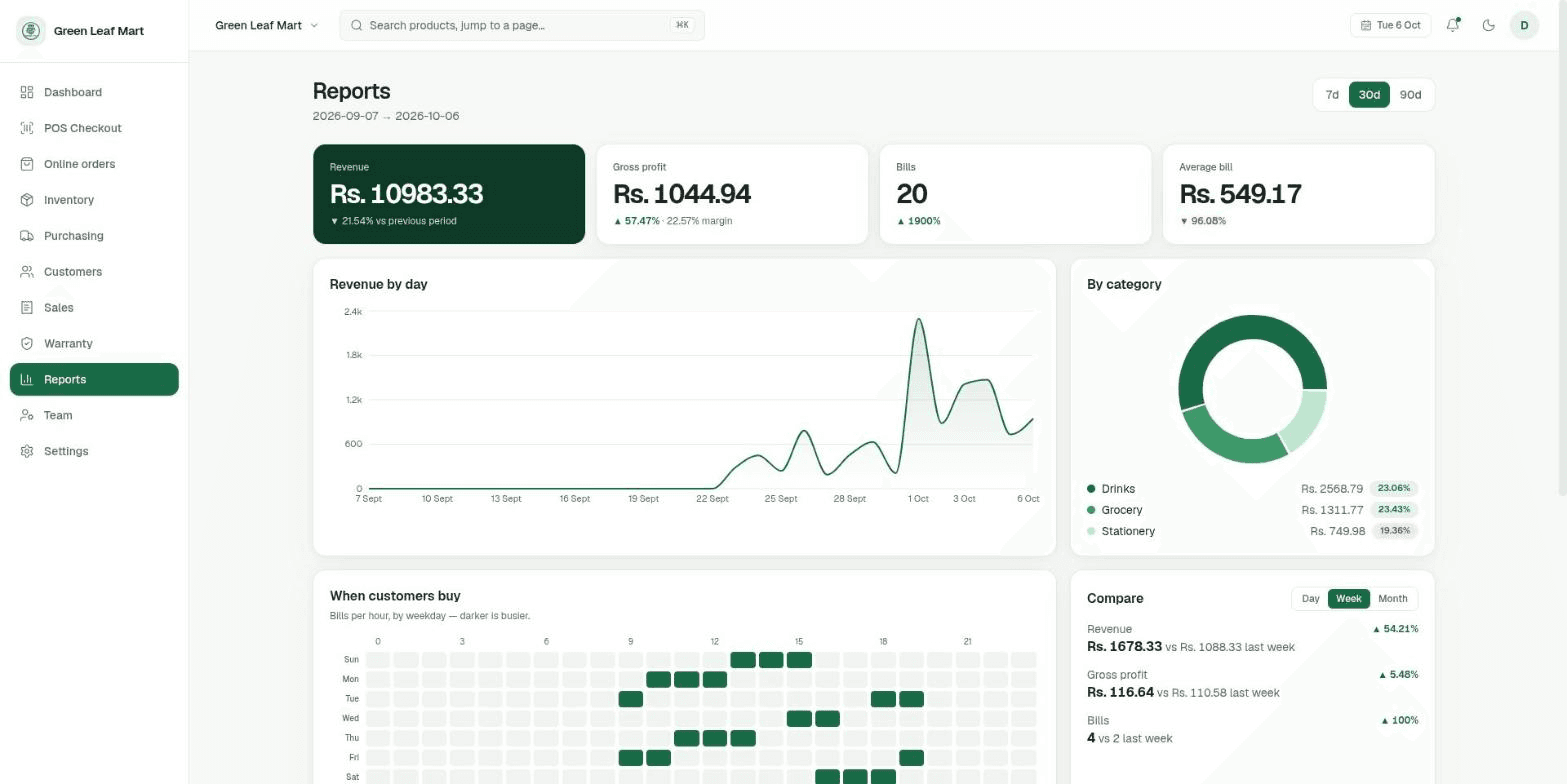
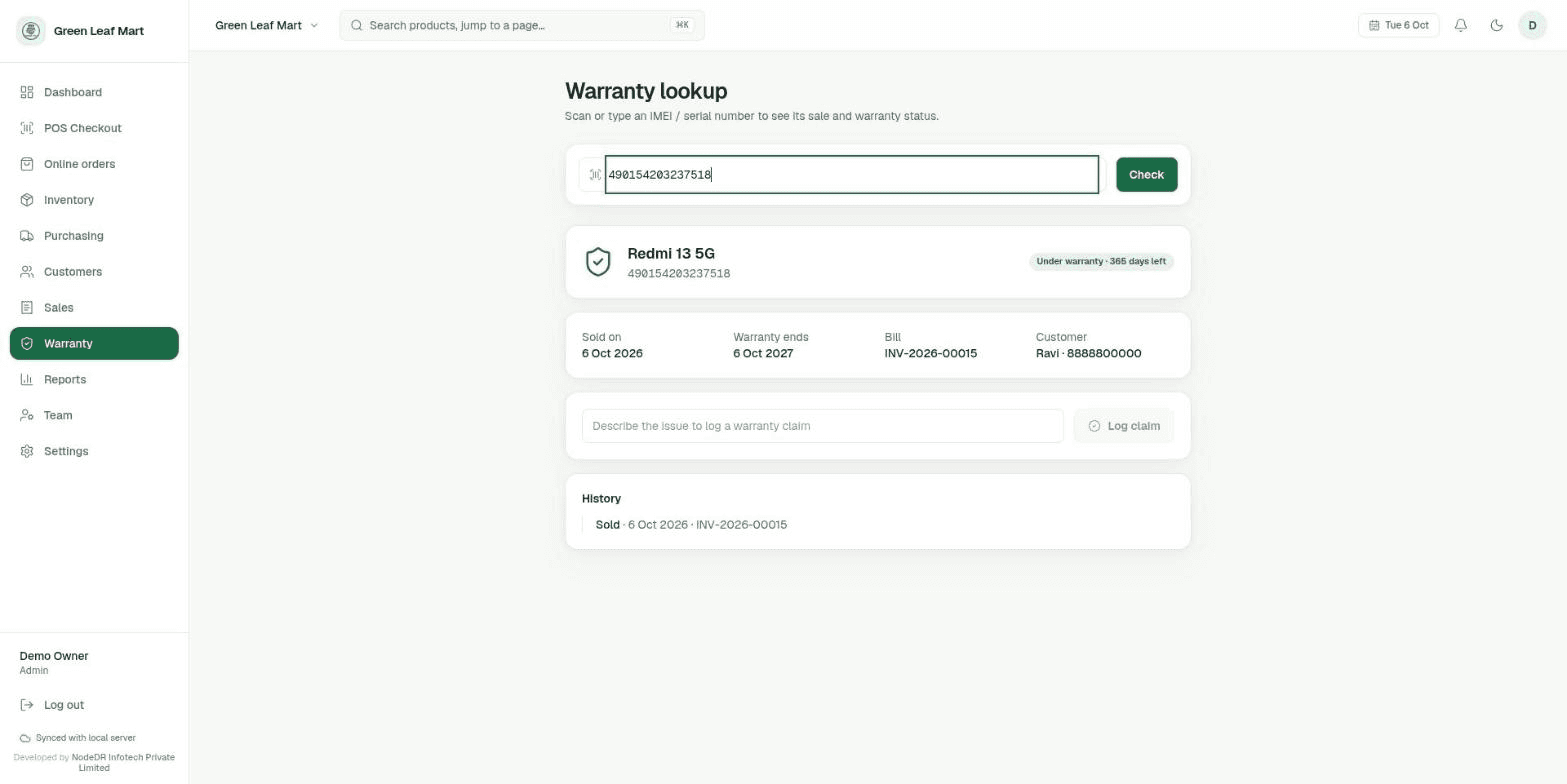
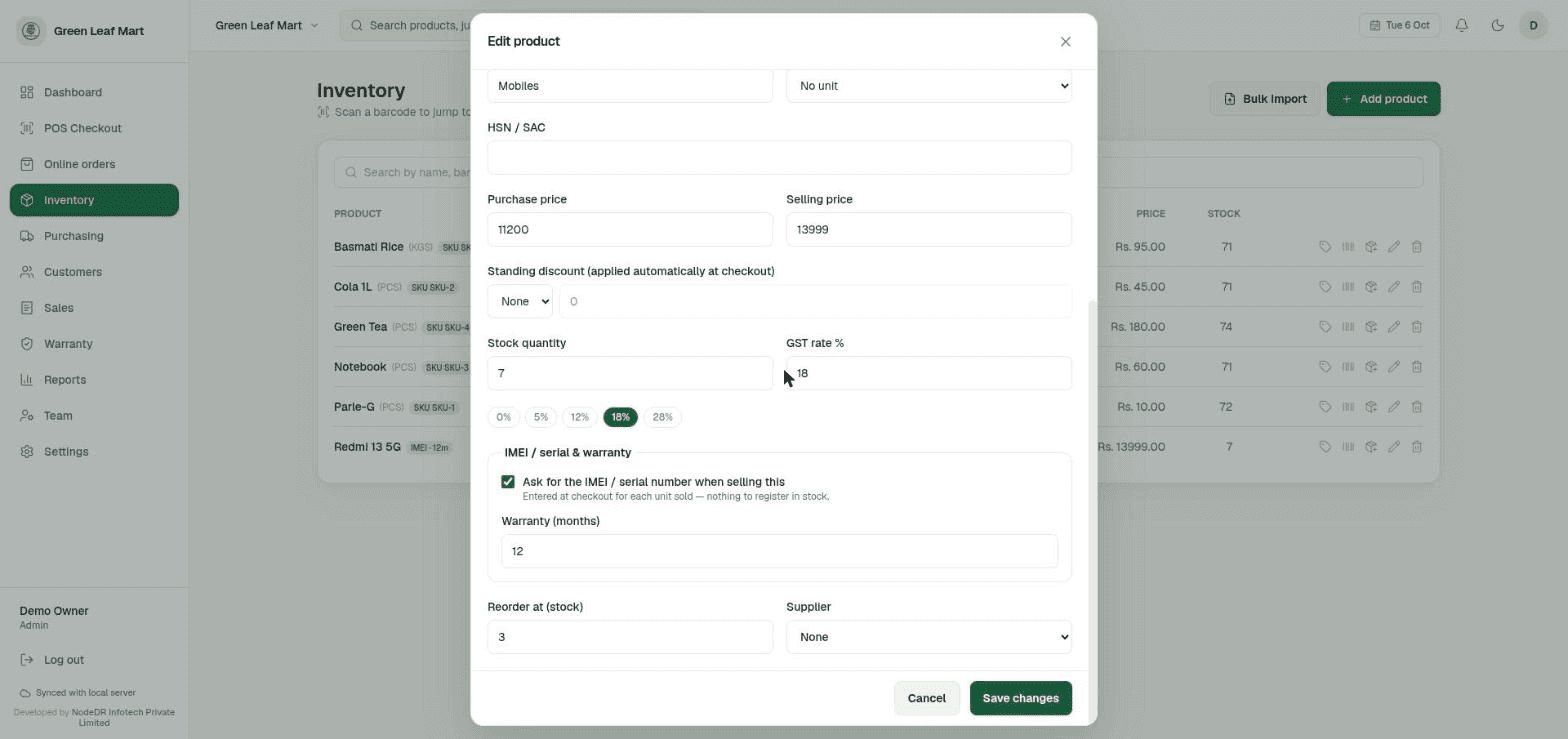
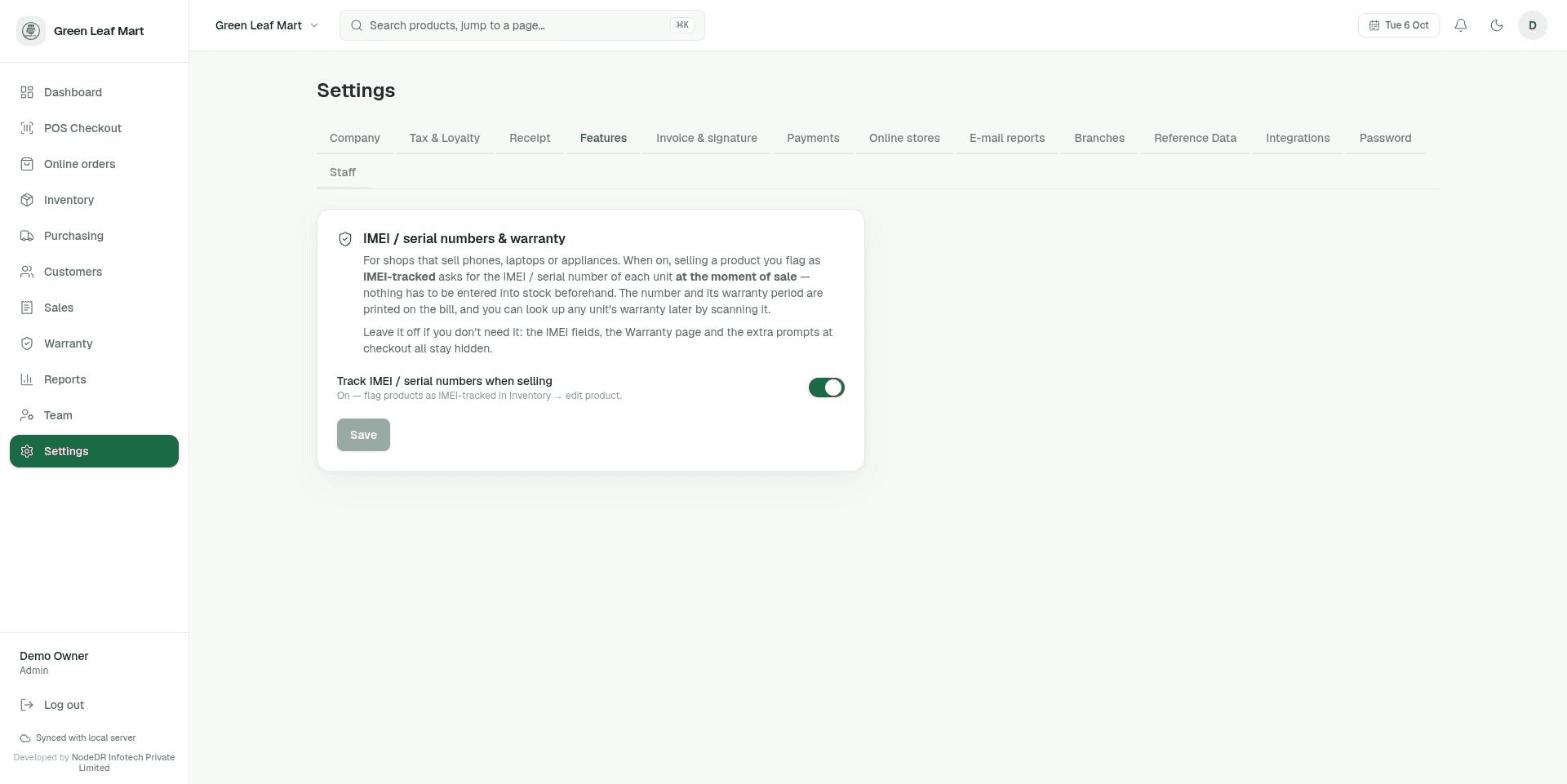
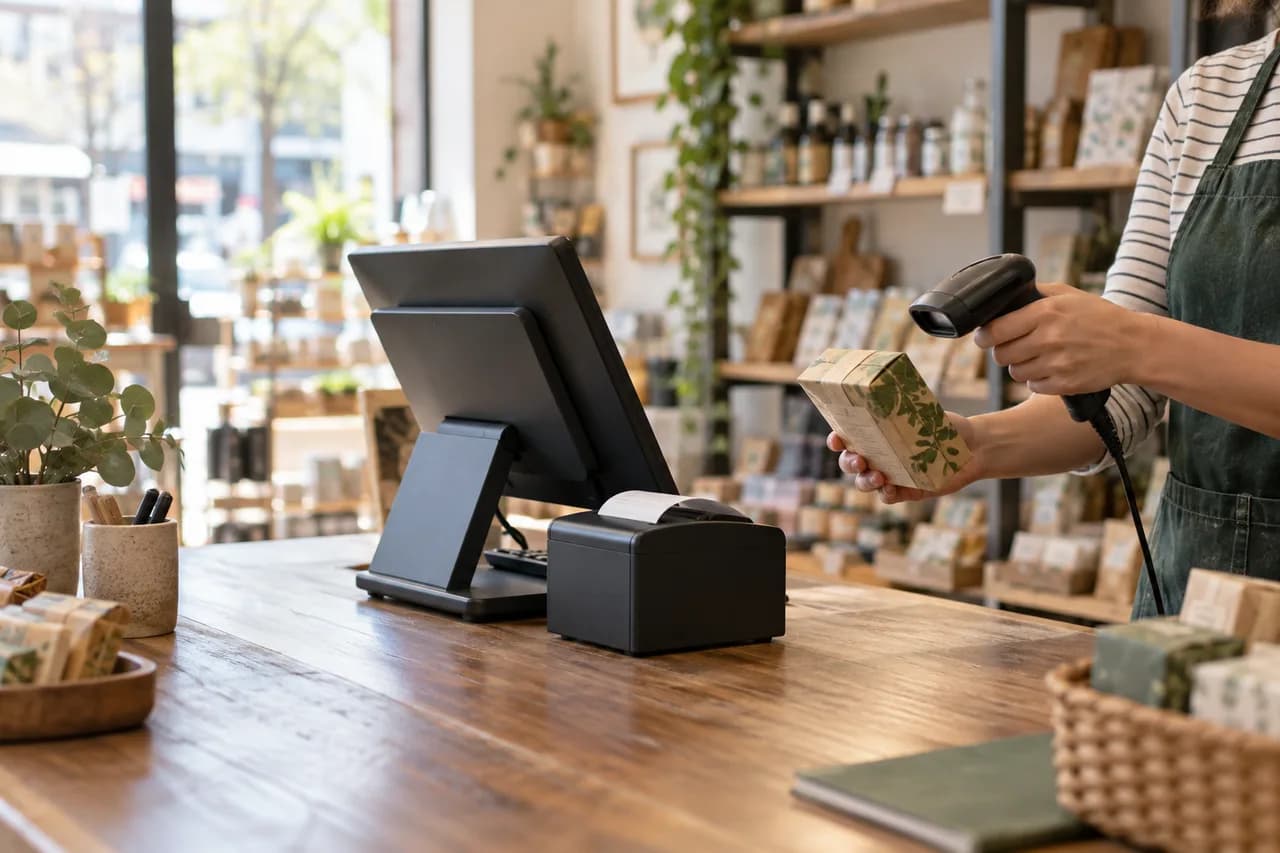
Illustrative retail scene. Product screenshots show the actual app.
From first setup to your first sale
Create your shop account, add products, then use the checkout screen to scan items and take payment. The guide walks through the setup, daily sales, reports, invoices, and warranty tools with screenshots.
- 01Install and open the app. Choose Microsoft Store, CasaOS, or copy the one-command installer from the home screen.
- 02Set up your shop. Create the admin account, enter shop details, and choose currency and tax settings.
- 03Add inventory. Use Inventory to enter products, scan barcodes, or import a product list.
- 04Make a sale. Scan items in POS Checkout, review the total, take payment, and print a receipt.
- 05Review your shop. Use Reports, invoices, and warranty lookup to manage daily work.
Choose the currency your shop uses
Choose from the supported shop currencies in Settings, including INR, USD, EUR, GBP, AED, AUD and CAD. Receipts use the selected currency, and configured exchange rates support foreign-currency payments. Currency support does not establish compliance with every country’s tax, invoice or fiscal-reporting rules. Spain VERI*FACTU code is implemented but has not been tested against the live AEAT portal and is not certified.
Examples of supported currency options; these flags do not indicate tax certification or customer adoption.
Any device on your network
NodeDR POS runs in any browser — desktop or mobile. Open it from the shop computer, a counter tablet, or a phone on the same Wi-Fi. Client devices do not need a separate app. The server must be installed and running; external integrations and updates may need internet access.
How it works
One port exposed. The frontend proxies API calls to the backend over the internal Docker network — the backend never touches your LAN.
  Browser / LAN tablet
        │  http://<machine>:1994   (the ONLY exposed port)
        ▼
┌──────────────────────────┐  /api/* proxied server-side  ┌──────────────────────┐
│   frontend  :1994        │ ──────────────────────────▶  │  backend (internal)  │
│   Next.js / React        │ ◀──────────────────────────  │  Express + Prisma    │
└──────────────────────────┘   (internal Docker network)   └──────────┬───────────┘
                                                                       │
                                                                       ▼
                                                         SQLite  (Docker volume)
                                                         Your data never leaves
One port, one origin
Port 1994 is the only exposed port. No CORS complexity — session cookies are first-party and the API isn't exposed on your network.
LAN access built in
Any tablet or phone on the same network can open the register in a browser. No per-device app or install needed.
Data in a Docker volume
SQLite lives in the nodedr-pos_data named volume. Containers restart and rebuild; your data stays untouched.
Connect your online store to the same stock
If your shop also sells online, the counter and the website don’t have to keep two separate stock counts. A key-authenticated External Stock API links them.
Your website reads and writes real stock
Link a product by its SKU, and your e-commerce storefront’s backend can call the External Stock API to check what’s actually on the shelf, and report a stock change when an online order goes through — the same product record the counter uses, not a second copy that drifts out of sync.
Stock changes push to you, live
Add a webhook URL to a key and the shop notifies your storefront the moment a linked product’s stock changes at the counter — a sale, a return, or a manual edit — so the site can mirror it instantly instead of polling on a timer.
How NodeDR POS stacks up
Versus hosted SaaS POS subscriptions and the spreadsheet-and-calculator approach.
| Feature | NodeDR POS | Hosted SaaS POS | Spreadsheet |
|---|---|---|---|
| One-time cost | Free | Monthly fee | Free |
| Works offline | |||
| Barcode scanning | |||
| GST billing (India) | Paid add-on | Manual | |
| Thermal printing | |||
| Loyalty program | Paid tier | ||
| Returns & exchange | Paid tier | ||
| Sales dashboard | Manual | ||
| Data stays on-prem | |||
| No vendor lock-in | |||
| Open source (AGPL-3.0) |
Up and running in under 10 minutes
Choose the one-command Docker Compose installer, the CasaOS app, or Microsoft Store. The guided setup creates your shop account and gets your first products ready without a separate database setup.
Start the app with Docker Compose
Choose your computer below and paste the command into its terminal. The guided installer prepares the required tools, starts NodeDR POS, and keeps shop data in a persistent volume.
Copy one command to install NodeDR POS
Package for Ubuntu 24.04 and Debian 12 or newer, amd64 and arm64, with systemd. It sets up Docker if needed, runs NodeDR POS in Docker and starts it. Read the script first, or download the .deb below and run sudo apt install ./file.deb.
Download .deb (amd64)Download .deb (arm64)Read the scriptv1.6.2 · release notes
Complete guided onboarding
First launch shows a setup wizard: create your admin account, enter your shop name, address, currency, and optionally GSTIN. Takes about 2 minutes.
# Open in browser:
http://localhost:1994
Add products and start selling
Add inventory by scanning barcodes or typing. Then go to POS, scan items to add to cart, select payment method, and print the receipt. Done.
# Access from any LAN device:
http://<your-machine-ip>:1994
./install.sh — it rebuilds images and restarts the containers. Your data in the Docker volume is never touched.On Windows 10 or 11? Install from Microsoft Store.
The Windows app updates through the Store and runs without a Docker setup.

Using CasaOS or ZimaOS?
Install NodeDR POS on your CasaOS or ZimaOS home server from its compose app manifest, then open it from your network browser.
Retail workflows, on your own machine
Use the Microsoft Store app on Windows, or run Docker Compose on Windows, macOS or Linux. Other devices connect through a browser on your shop network.
Serve the next customer
Scan a barcode or search for an item, adjust quantities, choose a payment method and print the receipt. Customer credit, returns and loyalty stay connected to the sale.
Keep stock and purchasing together
Manage products and suppliers, receive purchase orders and review low-stock alerts. Reports connect revenue, cost and margin to recorded sales.
Choose your currency
Set the shop currency and configure exchange rates for foreign-currency payments. Currency selection and tax compliance are separate decisions.
Deployment and scope
Internet is needed for installation, updates and external integrations. India-specific GST and UPI features are configurable. Spain VERI*FACTU code is implemented for EUR shops but has not been tested against the live AEAT portal; no declaración responsable has been issued and no compliance claim is made.

Why I built NodeDR POS
I’m Raktim Ranjit, founder of NodeDR and the lead developer of NodeDR POS. I designed it for the pace of a small shop: scan an item, get the right price and stock, and finish the sale without depending on a cloud connection. The inspiration was the everyday retail counter itself, where unreliable internet and scattered stock records should not stop a business from serving a customer.
About Raktim Ranjit, software engineer and founder
NodeDR POS is made by NODEDR INFOTECH PRIVATE LIMITED. It is maintained by Raktim Ranjit (@Raktim94). It is free, open-source software released under the AGPL-3.0 License — you can use it, fork it, and run it commercially; if you run a modified version as a network service for others, you must share that modified source under the same license.
Official website: www.nodedr.com
Common questions
Ready to run your shop for free?
One command. Your own machine. Your data stays where it belongs — with you.